
What are Workbooks?
A workbook represents a spreadsheet style view representing a single version of a project. When you create a new project and upload source data, Lume will start an initial run:- Generate descriptions over the source data if none are provided
- Create mapping logic
- Validate the transformation
- Process your initial source data
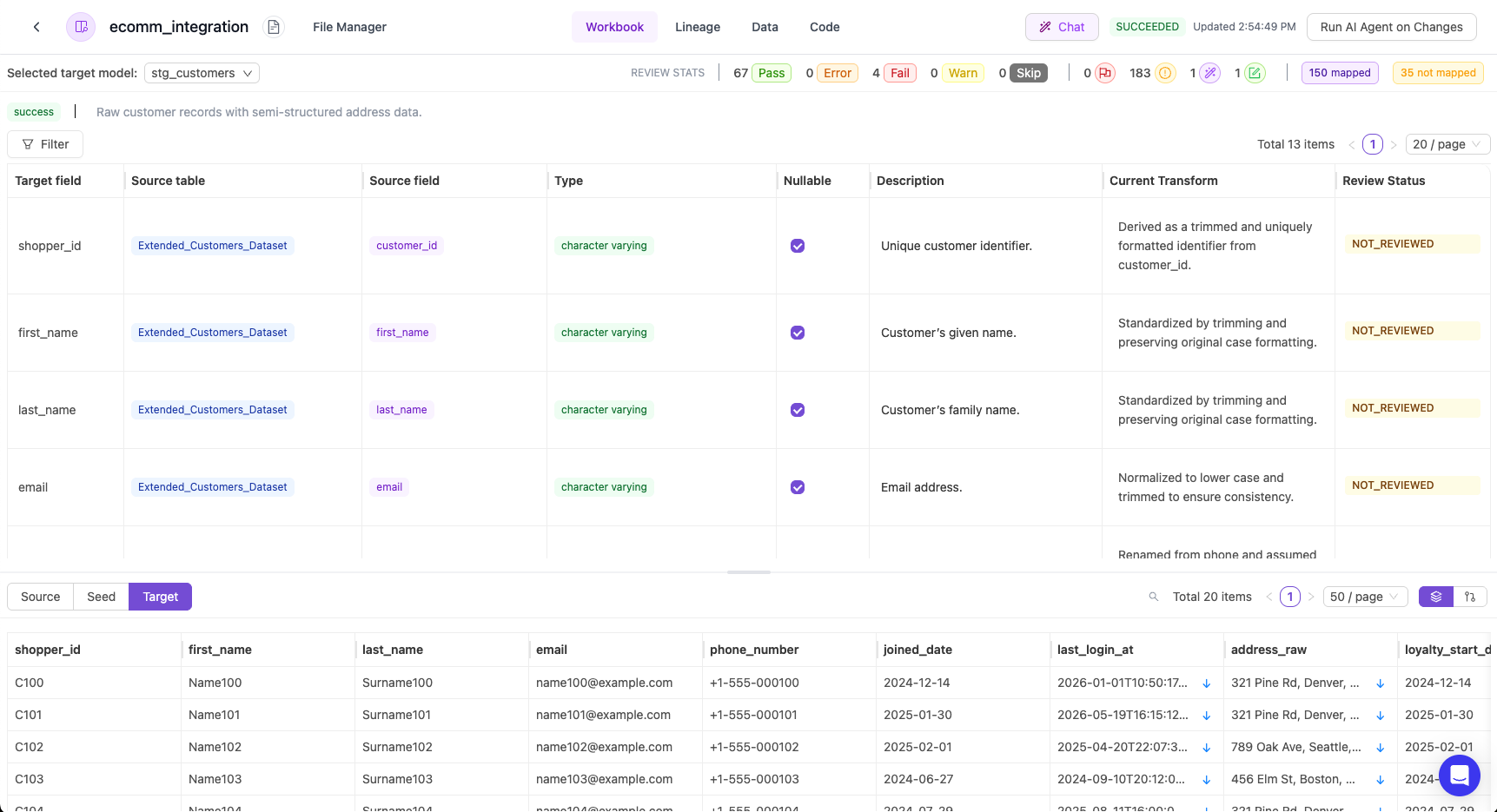
Components of the Workbook
- Target Field - The name of the field
- Source Table - The source tables that were used to transform to the target field
- Source Field - The source fields that were used to transform to the target field
- Type - The type of the target field
- Nullable - If the field can be nullable or not
- Description - The description of the target field
- Enums - The number of enum values for a target field
- Transform - The set of actions taken to transform the source data into the target field
- Review Status - The user review status of the workbook
Workbook Review Status
A workbook has a review status to track the fields that have been manually checked. By default, the status will be NOT_REVIEWED.Target Model Statuses
Each model can have one of the following statuses:Test Statuses
Each test for a field can have one of the following statuses:If a run fails, crashes, or is incomplete, please contact support.